
Written by Tahan · October 9, 2026
Before you sign up for field service software, read how to leave it. Five things decide what leaving costs: the length of the term, what happens if you leave early, whether it auto-renews, how you actually cancel, and what happens to your data. Jobber lets you cancel online, but a one-year commitment runs to the end of its term, and your account data goes when the subscription ends. Housecall Pro cancels through its support chat, followed by a required phone call with the account owner. ServiceTitan doesn't publish its subscription agreement at all, and customers describe exit costs equal to the rest of their contract.
Disclosure: this guide is published by Own Your Tools, which sells a one-time software license. Competitor terms come from their own help centers where published, and from attributed customer reports where they aren't. Checked October 9, 2026.
Why the cancel clause matters more than the feature list
You'll use the features every day, so you'll find out quickly whether they work. The cancel clause only matters once, on the day you decide the software isn't working. That's the day it costs the most, and it's the one page almost nobody reads before signing.
The questions below take ten minutes to answer. Answer them before the demo ends.
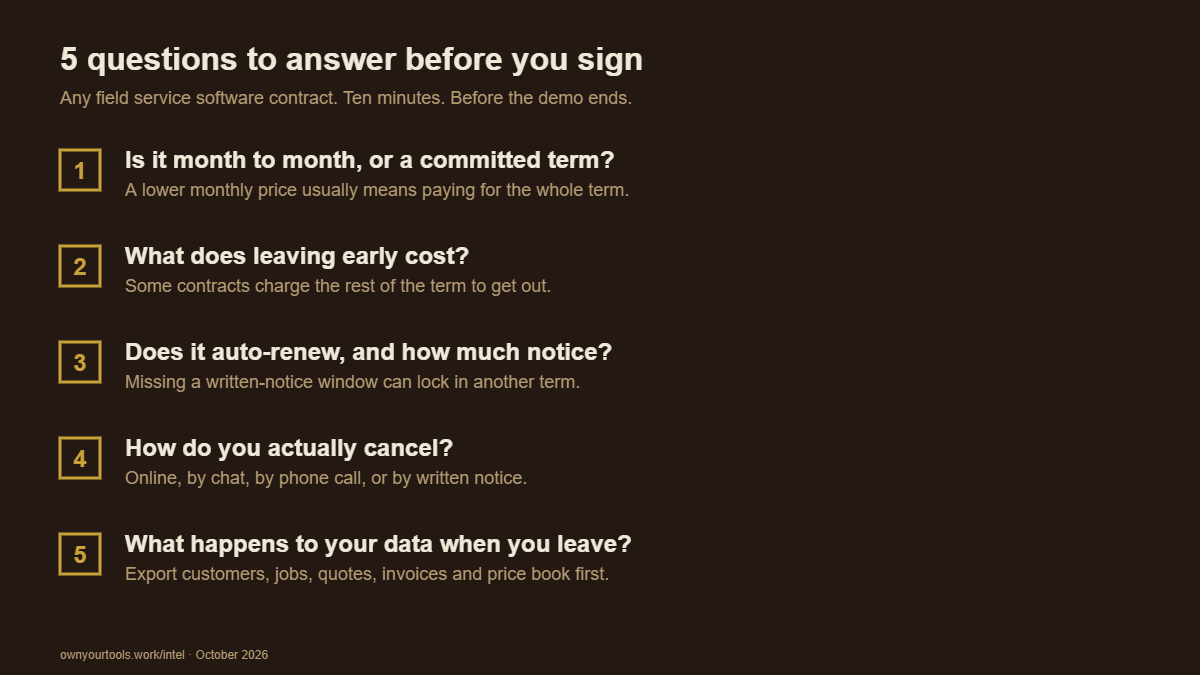
1. Is it month to month, or a committed term?
Most field service software offers a lower monthly price in exchange for a longer commitment. Jobber's Grow plan for 10 users is $399 a month with no commitment, $349 on a one-year commitment, and $299 a month billed annually. Housecall Pro offers monthly and annual billing.
The discount is real. So is the trade: on a commitment, you've agreed to pay for the term whether you keep using the software or not.
2. What does leaving early cost?
Jobber. Its help center says that when you cancel, you keep access until the end of your billing period, and on an annual or one-year commitment plan, access continues until the end of the full term, not just the current month. In other words, the commitment runs its course.
Housecall Pro. Its help center lists a 30-day money-back guarantee on the monthly subscription fee, but only for customers who were offered the guarantee at sign-up, and it excludes items like setup fees. Outside that window, ask how annual plans are handled before you sign.
ServiceTitan. Covered in its own section below. Short version: customers report owing the remaining contract balance.
3. Does it auto-renew, and how much notice does canceling take?
Subscriptions renew until you cancel. That's normal. What matters is the notice period. For monthly plans, it's usually the end of the current cycle. For annual and multi-year contracts, some vendors require written notice weeks before the renewal date, and missing that window can lock in another term.
Find the renewal date and the notice period, and put a reminder on your calendar two months before it.
4. How do you actually cancel?
- Jobber: an admin can cancel online from the account's subscription settings. Subscriptions bought through the Jobber app are canceled through the Apple or Google app store instead.
- Housecall Pro: start a chat with the support team from inside your account. Its help center says the cancellation isn't fully processed, and billing doesn't stop, until a team member has spoken with the account owner by phone, usually within 1 to 3 business days.
- ServiceTitan: there's no self-serve cancel button. Customers describe sending written notice to the billing team.
If canceling requires a conversation, expect a retention offer. Decide beforehand whether any offer would change your mind.
5. What happens to your data when you leave?
This is the one people regret most. Jobber's help center says that once the subscription period ends, you lose access to your account data, including clients, jobs and invoices.
Whatever the platform, export everything before you cancel: customers, jobs, quotes, invoices and your price book. Our guide to switching field service software walks through the exports for Jobber and Housecall Pro.
ServiceTitan: when the exit costs the rest of the contract
ServiceTitan is built for larger operations, and for many of them it's the right tool. But it's also the clearest example of why the cancel clause comes first.
ServiceTitan doesn't publish its pricing or its subscription agreement. Third-party guides and customer complaint filings describe annual and multi-year contracts that auto-renew, cancellation by written notice, and early termination fees equal to the remaining balance of the contract. A ServiceTitan customer reviewing on Capterra in July 2026 described being quoted roughly $22,000 to leave early.
When the exit fee is the rest of the contract, the cancel clause is the real price of the software. Get the term, the renewal notice period and the early termination terms in writing before you sign, and read them before the features.
The other way: nothing to cancel
Own Your Tools was built so that this article doesn't apply to it. It's a one-time license, not a monthly plan, so there's no term to get locked into and no renewal to catch.
- Pay once: $490 at the founding price. Or $49 a month for 12 months, then it's yours, and you can cancel the monthly plan any time; the months you paid still count if you come back. An annual platform fee for hosting and updates, capped at $99, starts after the first year.
- 60-day money-back guarantee, no questions asked. On the monthly plan, ask within 60 days of the first payment and every payment is refunded.
- Your data leaves whenever you do. One click exports your business records, with photos and signatures in a zip, any day, without a support ticket.
- If the company ever shuts down, its Terms commit to keeping the app working on your devices, letting your data export, and releasing the source code within 90 days.
- 10 seats, no per-user fees, and customer payments go into your own Stripe account with no cut.
It doesn't send automated customer texts, doesn't sync live with QuickBooks, and offers email support only. But if the thing you want most from your next software is the freedom to leave it, that's the deal it was built around. There's a 30-day free trial with no card, and the $490 founding price is for the first 25 shops; after them the license is $700.
FAQ
Can I cancel Jobber at any time? You can cancel online any time, but on an annual or one-year commitment plan, your access continues until the end of the full term. After the subscription ends, Jobber's help center says you lose access to your account data, so export first.
How do I cancel Housecall Pro? Start a chat with Housecall Pro's support team from inside your account. Its help center says a team member must speak with the account owner by phone before the cancellation is fully processed and billing stops. A 30-day money-back guarantee applies only if it was offered at sign-up.
Does ServiceTitan have an early termination fee? ServiceTitan doesn't publish its contract terms. Customer reports and complaint filings describe early termination fees equal to the remaining contract balance. Get the terms in writing before signing.
What should I check before signing a field service software contract? The term length, the cost of leaving early, the auto-renewal notice period, how to cancel, and what happens to your data after you leave.
Sources
- Jobber cancellation and data access: Jobber Help Center, "Cancel your Jobber subscription," checked October 9, 2026.
- Jobber plan prices: getjobber.com/pricing, checked October 9, 2026.
- Housecall Pro cancellation and guarantee: Housecall Pro Help Center, "Billing and Account Management" and "What is the money-back guarantee," checked October 9, 2026.
- ServiceTitan terms: third-party cancellation guides and complaint filings, 2026; customer review on Capterra, July 9, 2026.
- Own Your Tools: ownyourtools.work and Terms, October 2026.